
Find your person.
Install LockTied on both Android phones. Connect with a single-use pairing code or scan the QR code in the app.
 LockTied
TWO PHONES. YOUR LITTLE WORLD.
The photo that made you smile. A note just because. That wonderfully imperfect doodle.
Send a little something to your person's lock screen with LockTied. Made for two, on Android.
Android 8 or later · Currently in Google Play testing


Illustrative lock screens · AI-created sample photos
01 / MAKE THEIR SCREEN THEIR FAVOURITE
A photo, a few words, a wobbly heart.
Sometimes the little things say the most.
A FEW WORDS GO A LONG WAY
A good morning. A good luck. A reminder that they're on your mind. Pair a photo with a little note and turn it into something they'll see when they reach for their phone.
One canvas. All your little touches.
Combine a photo, a note and a doodle. Preview your creation before you send it.
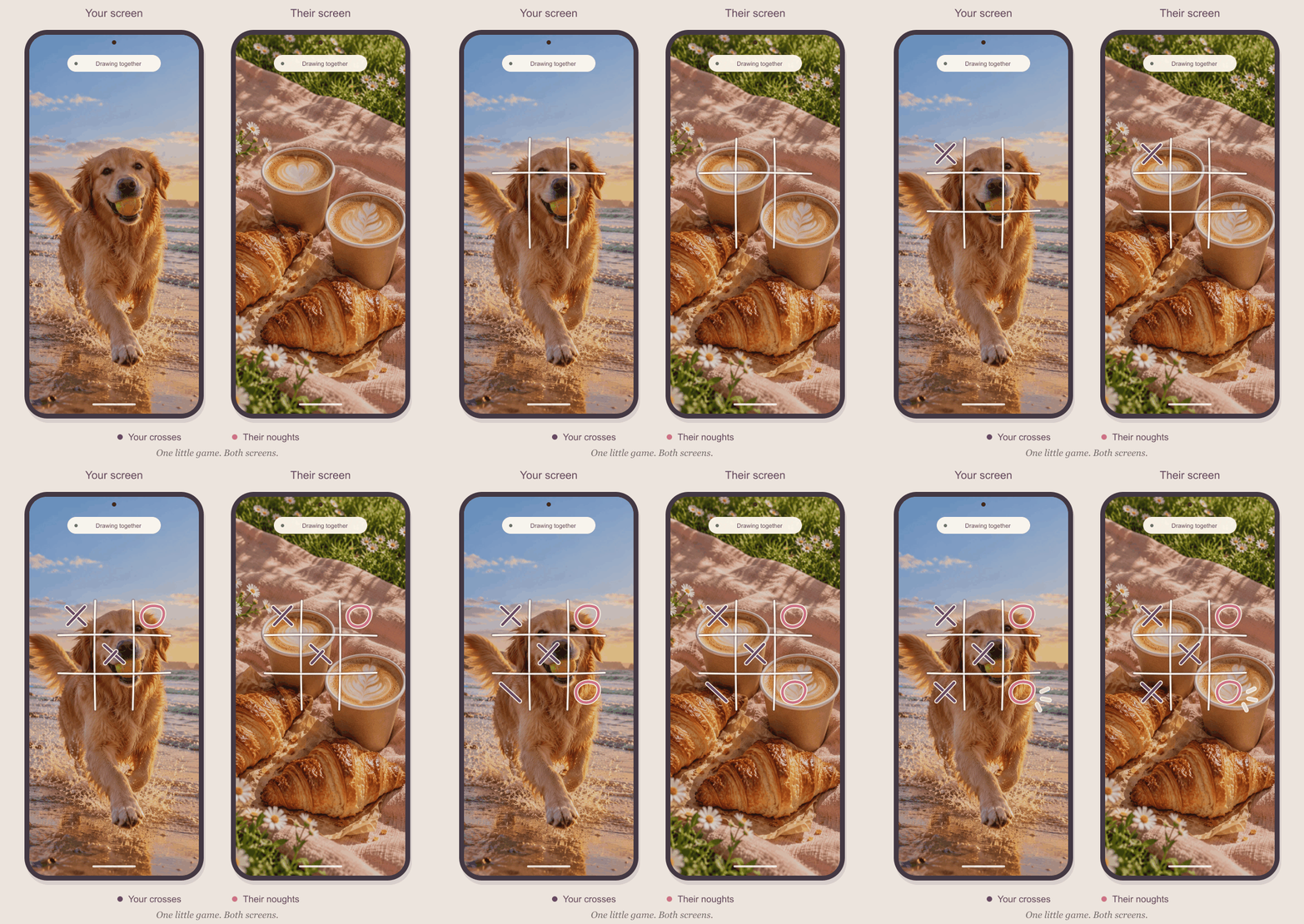
Illustrative lock screen, not an app screenshot.
Clock and layout vary by phone.
THE REAL APP, UP CLOSE
Make it in LockTied, preview it, then send.
Captured in LockTied 0.19 with sample photos.
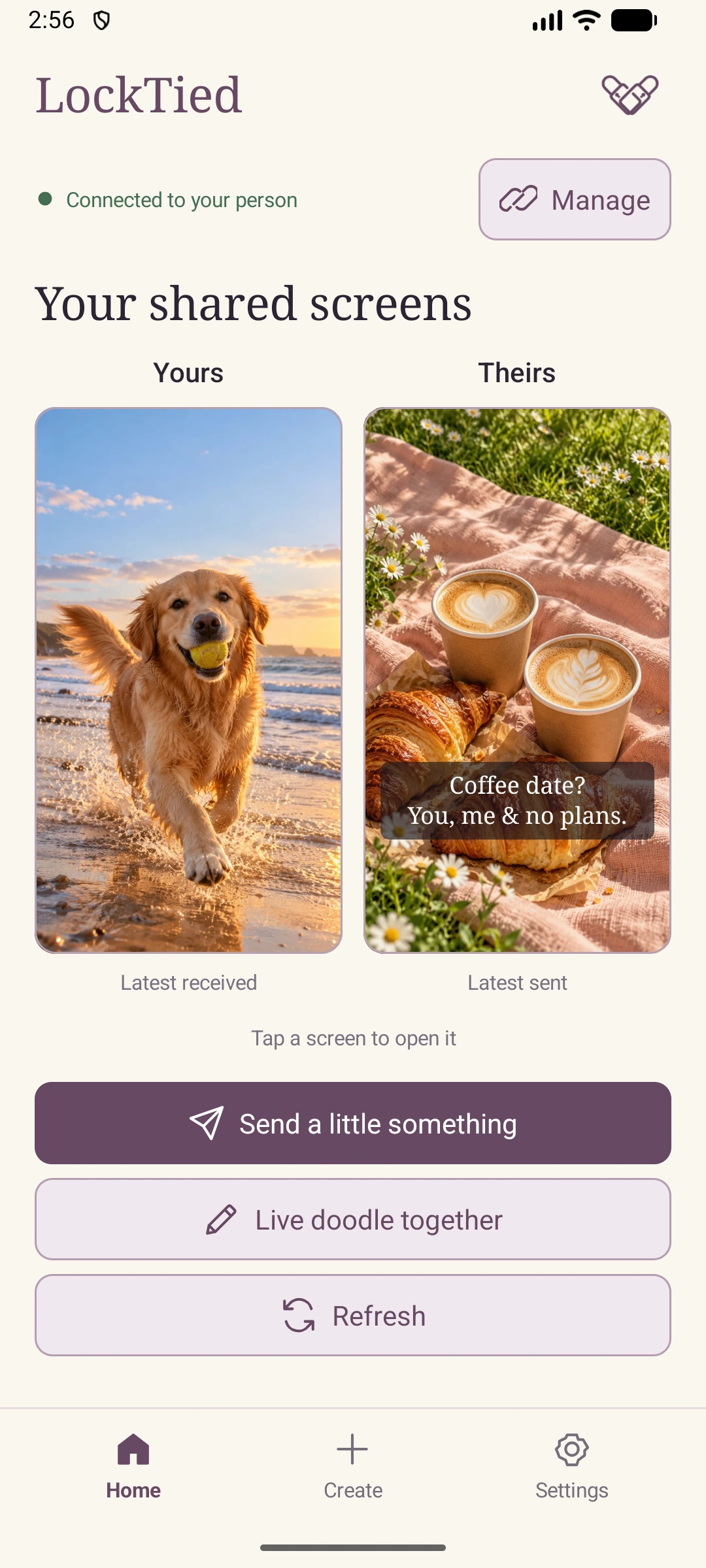
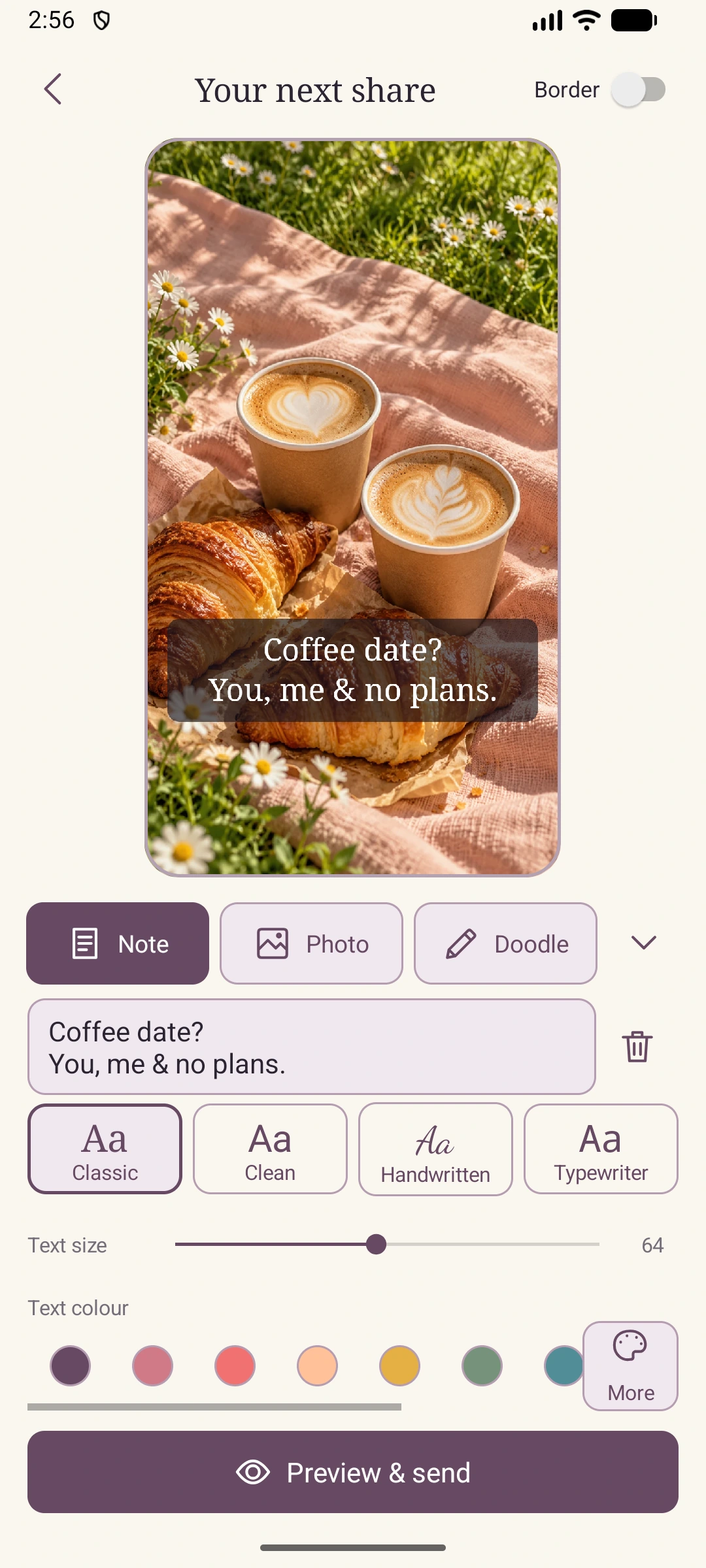
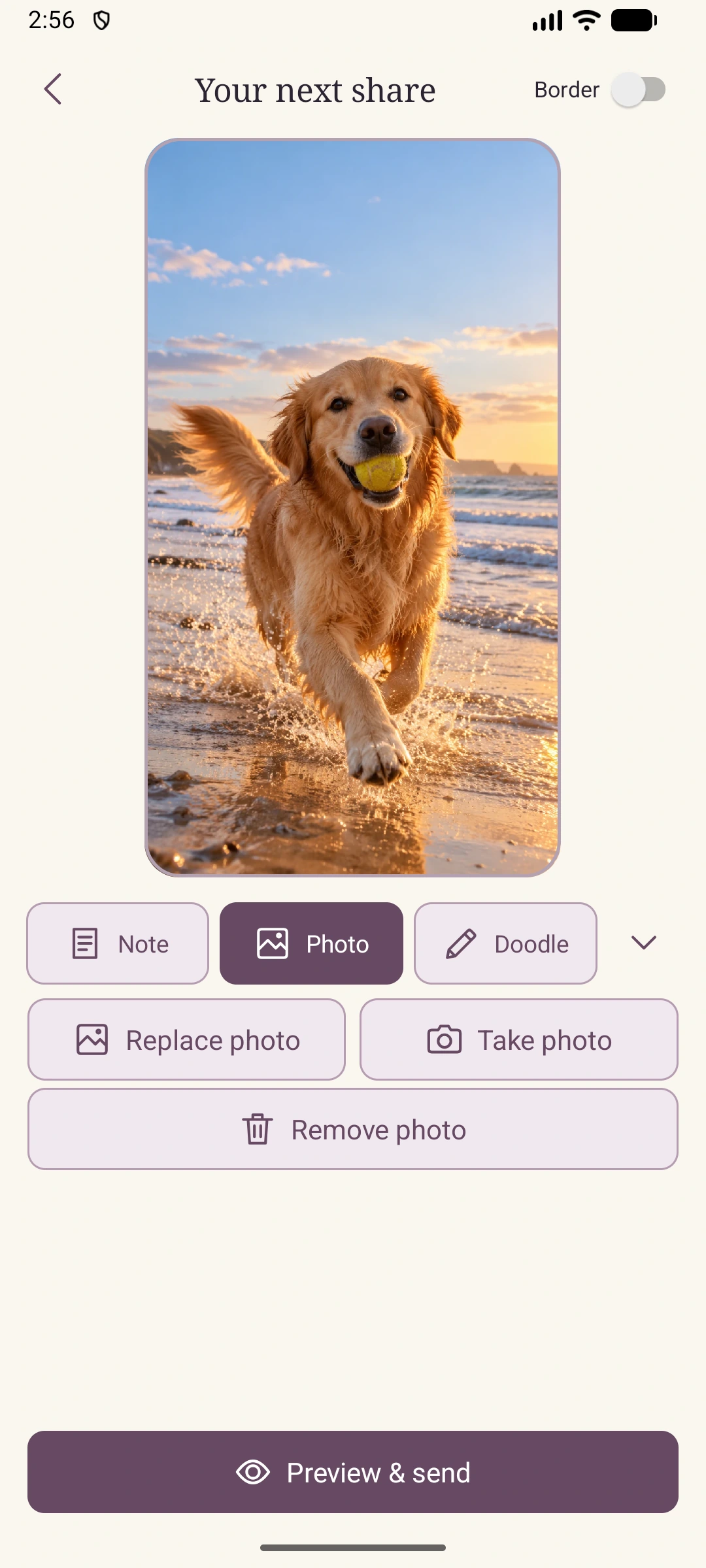
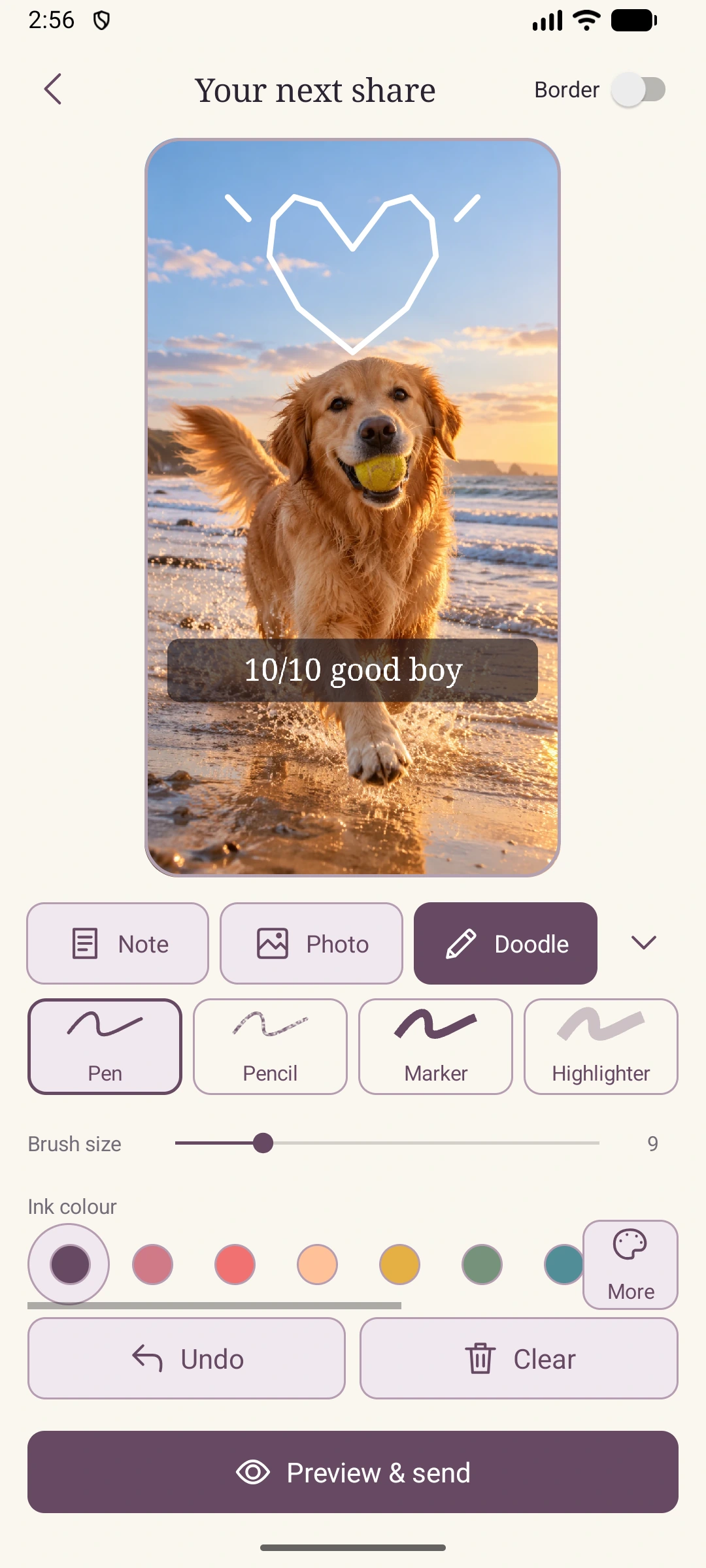
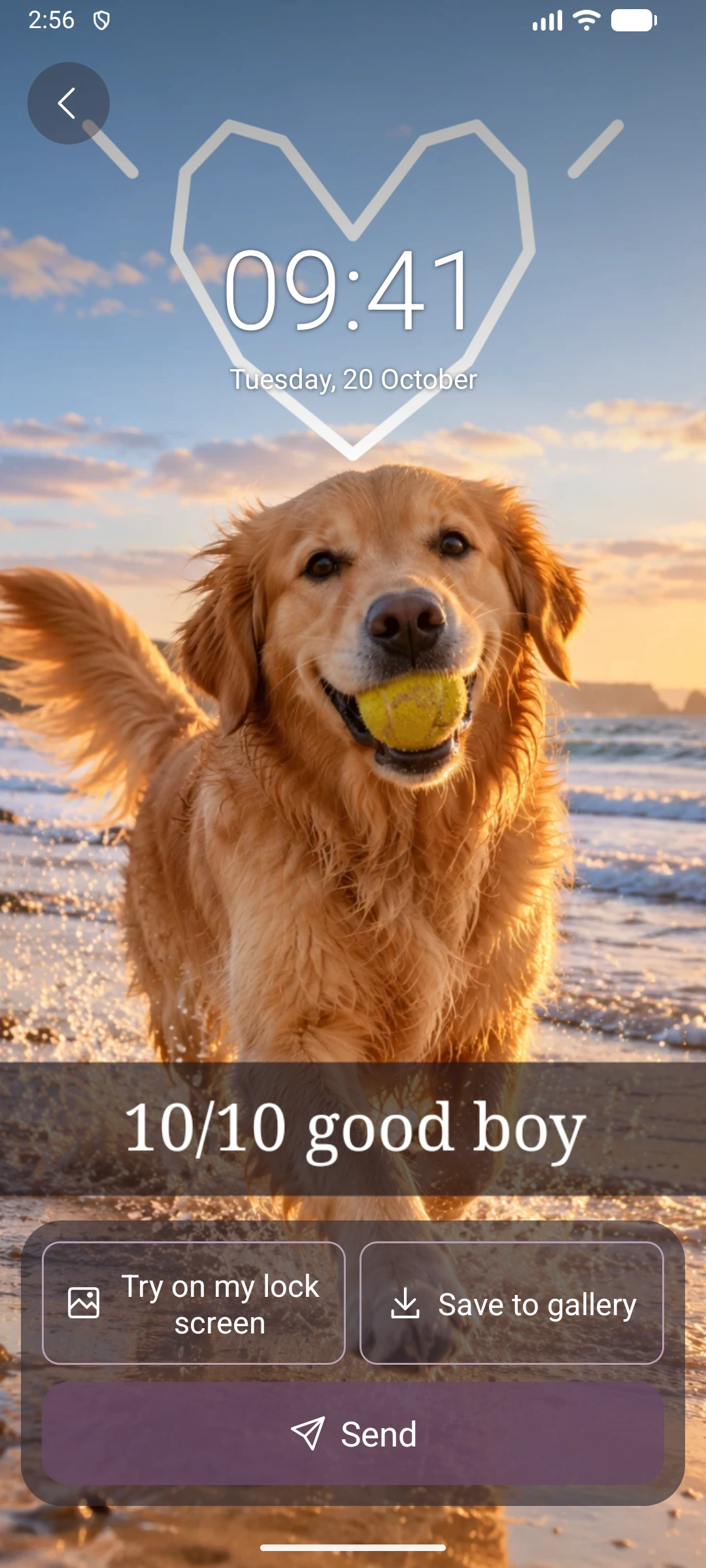
Actual emulator captures. Sample photos are AI-created; the app interface and artwork rendering are unaltered. The clock is part of the app’s preview, not an Android lock-screen capture.
LIVE LOCK-SCREEN DOODLE
A quick game of noughts and crosses. A silly face. A little hello that appears as you draw. Open a live session with your person and watch each other's strokes appear over your own wallpapers.
A little shortcut to your person. Enable the optional lock-screen drawing shortcut in Settings, then use its notification to open the drawing screen while your phone stays locked, where Android allows it.
The dedicated drawing screen appears over your wallpaper. Android hides its normal lock-screen clock and notifications while you draw. It does not unlock your phone or change your wallpaper automatically; keeping the result is your choice. Notification access and whether Android asks you to unlock depend on your phone and security settings.
02 / FROM YOUR PHONE TO THEIRS
For your partner, your best friend,
or someone who feels like home.
Install LockTied on both Android phones. Connect with a single-use pairing code or scan the QR code in the app.
Choose a photo or take a new one. Add your words, draw a little detail, then preview it before sharing.
They can apply your creation to their lock screen, or opt into automatic wallpaper updates in Settings.
Wallpaper cropping and automatic delivery depend on the phone, Android settings and internet connection.
LockTied is an Android app for Android 8 or later, with Google Play services. Both phones need an internet connection to share. There is no iPhone version currently. Lock-screen behaviour and background delivery vary by phone and Android settings.
LockTied is currently in Google Play testing. The Play link below is for eligible testers; public availability has not yet been confirmed. A test build's features may differ from the previews on this page.
Yes. Apply received images yourself, or enable Automatic lock-screen wallpaper in Settings. You can save an image to your gallery too. Anyone looking at your lock screen can see its wallpaper, so share thoughtfully.
One person at a time. Connect with someone you know using an expiring invitation code or QR code. There is no public feed or people search. You can remove the paired phone in Settings.
Each pair shares an allowance of 300 sent wallpaper images and 20 live doodle sessions per UTC calendar month. Each live session lasts up to four minutes. Sent notes and static doodles count as images. Local previews and gallery saves do not count. Settings shows your pair's monthly usage.
Sharing is restricted to your pair, and data is encrypted in transit. LockTied does not use end-to-end encryption; administrators with project access can access stored images. Read the privacy policy for details and the data deletion page for request instructions.
Use Report a concern in the app's Settings or email Prioritydesk.app@outlook.com. See the sharing rules for guidance. Support and deletion requests are handled manually.
LITTLE MOMENTS. SHARED SCREENS.
LockTied for Android. Made for you and your person.
View on Google PlayCurrently in testing · Access requires tester eligibility
Android 8 or later with Google Play services